OmniaTV Software / Flux Suite
Alpha

Flux Suite is currently an alpha version. Use it with the expectation of active development, incomplete areas, possible bugs and breaking changes between builds.

Open source creative tools

Create. Encode. Go live.

Open source software · Alpha channel · 2026 · v0.8.18-alpha

Flux Suite brings motion graphics, OBS live production and media export together in one open source application family for newsroom and broadcast workflows.

The suite

Three tools. One production flow.

Flux Suite combines a graphics editor, an OBS integration layer and an encoder so the same creative assets can move from authoring to live playback and export.

Flux Motion icon

Flux Motion

Real-time graphics authoring for titles, lower thirds, stingers, scene masks, layered compositions and live-ready motion graphics.

Motion graphics · 3D layers · Timeline
Flux Motion Plugin for OBS icon

Flux Motion Plugin for OBS

Native OBS dock and playback workflow for cueing Flux Motion projects, live text, media sources and graphics layers.

OBS dock · Live cues · Playback
Flux Encoder icon

Flux Encoder

Queue-based export tool with presets for web, social, archival and broadcast delivery, including preview and export settings.

Encoding · Presets · Export queue
Features

Built around graphics, live output and export.

The current screenshots show the alpha applications already covering the core workflow: install and update apps, build motion scenes, expose live controls to OBS and encode final media.

Flux Suite icon
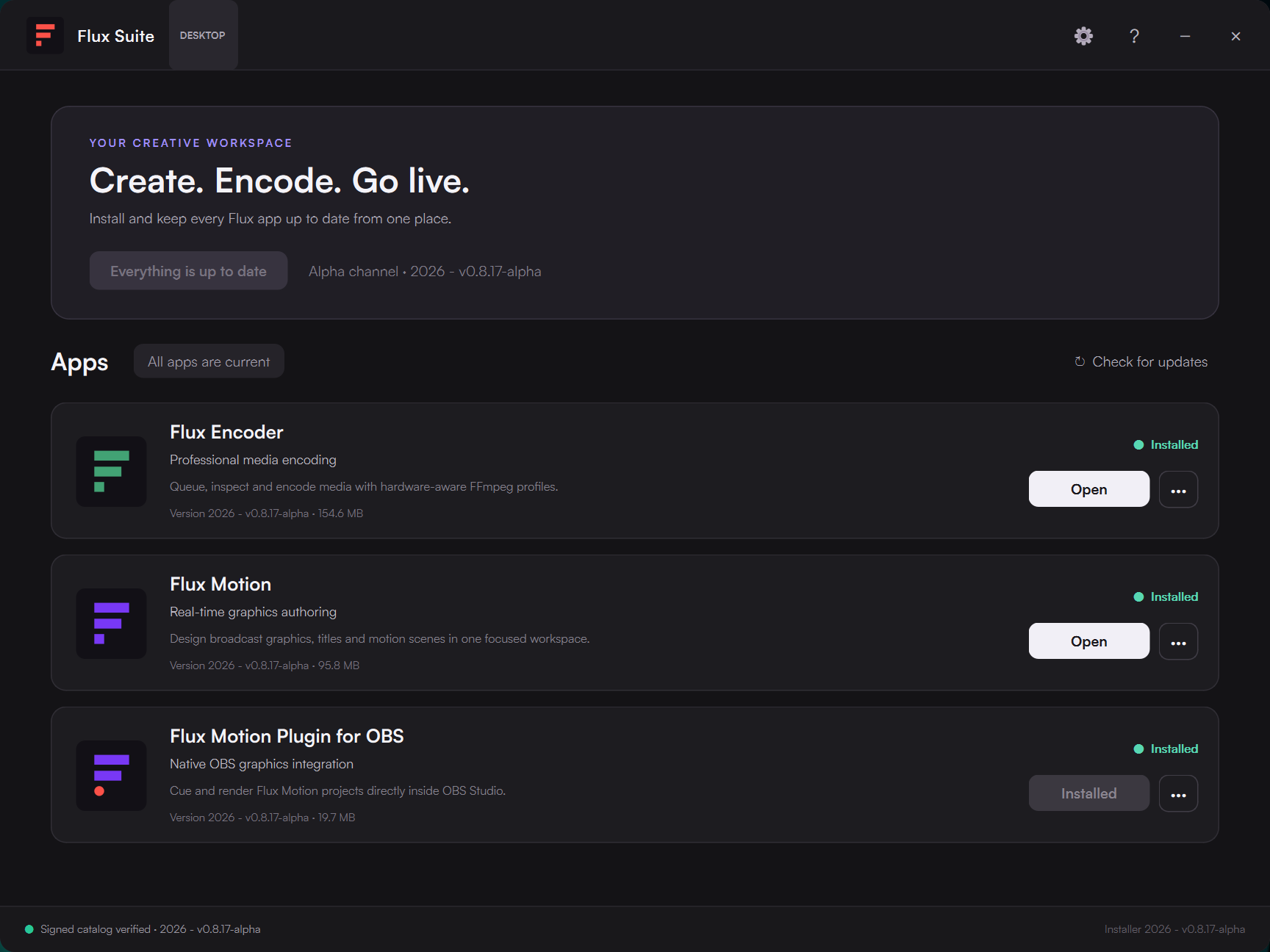
Flux Suite installerInstall and update all Flux applications from one place.
  • App catalog for Flux Encoder, Flux Motion and the OBS plugin.
  • Alpha channel status and version display.
  • Update All for queued suite upgrades, with clear working, success and failure states.
  • Per-product changelogs when a new release is available.
  • Signed catalog verification indicator.
Flux Suite installer and app catalog
Flux Encoder icon
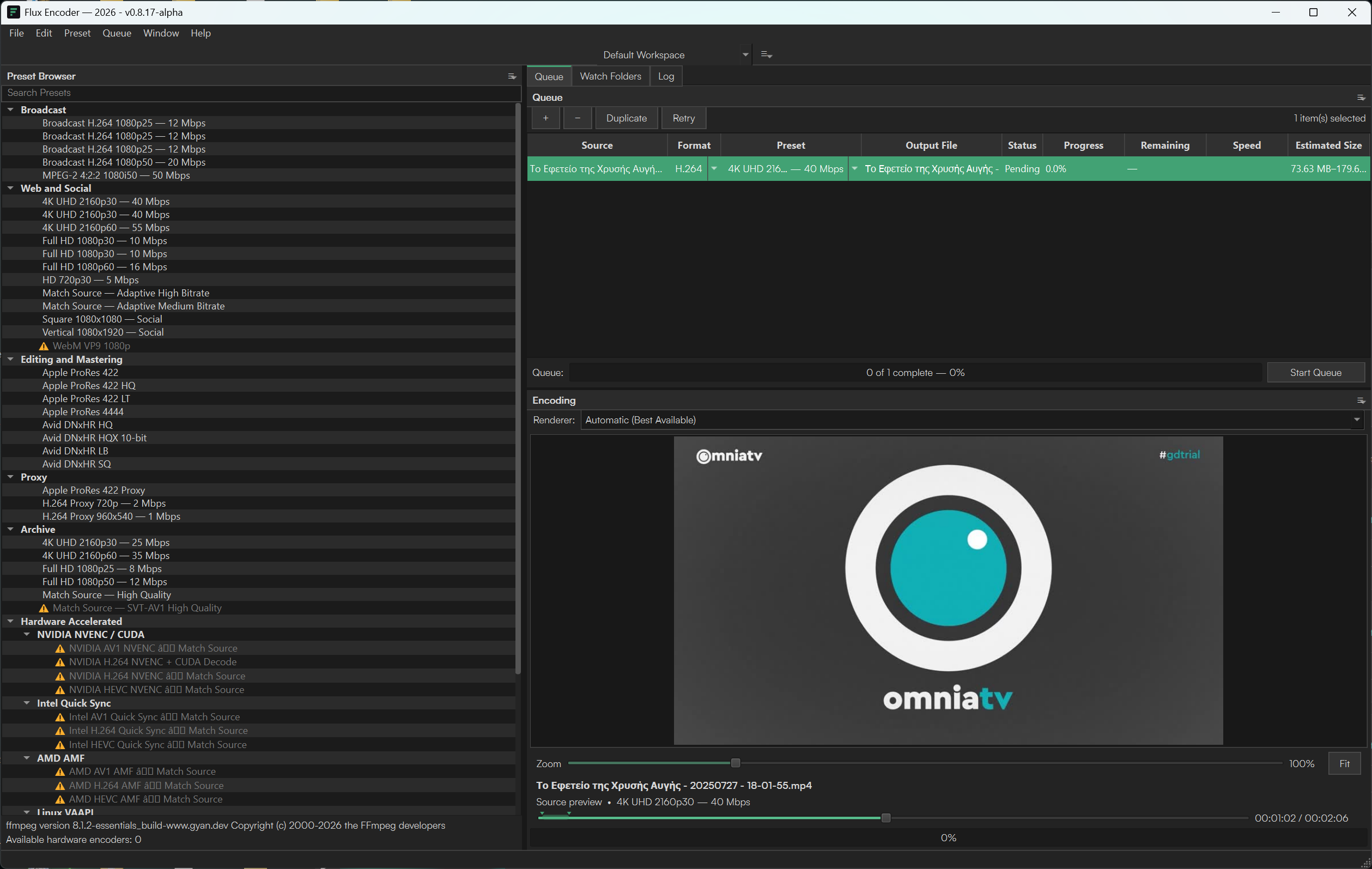
Flux EncoderQueue, presets, preview and export settings.
  • Preset browser for broadcast, web/social, editing/mastering, proxy, archive and hardware-accelerated workflows.
  • Queue table with source, format, preset, output file, status, progress and estimated size.
  • Media preview with timeline scrubber and zoom controls.
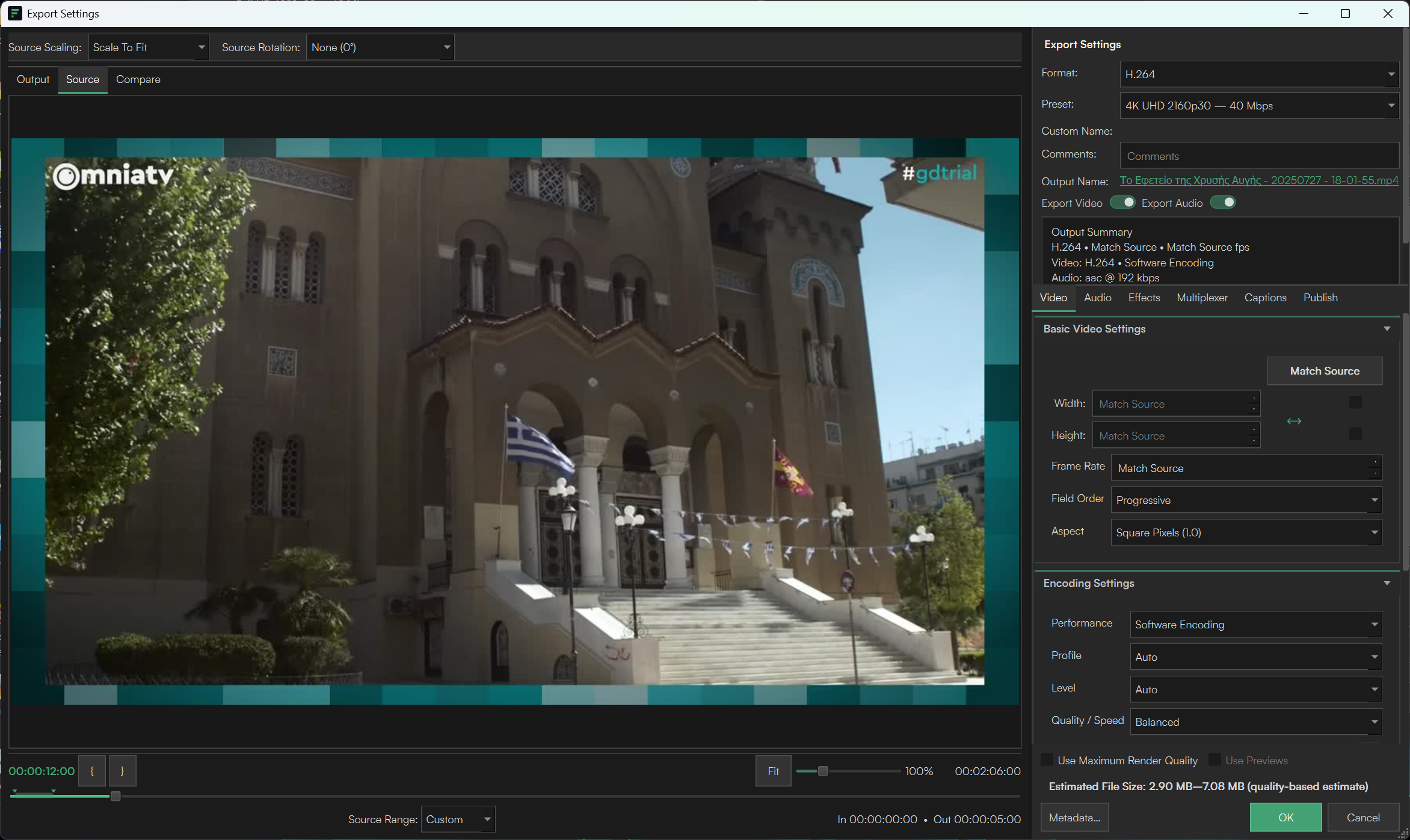
  • Export settings for H.264, presets, source matching, basic video settings and encoding performance.
Flux Encoder main queue and preview window
Flux Encoder export settings dialog
Flux Motion icon
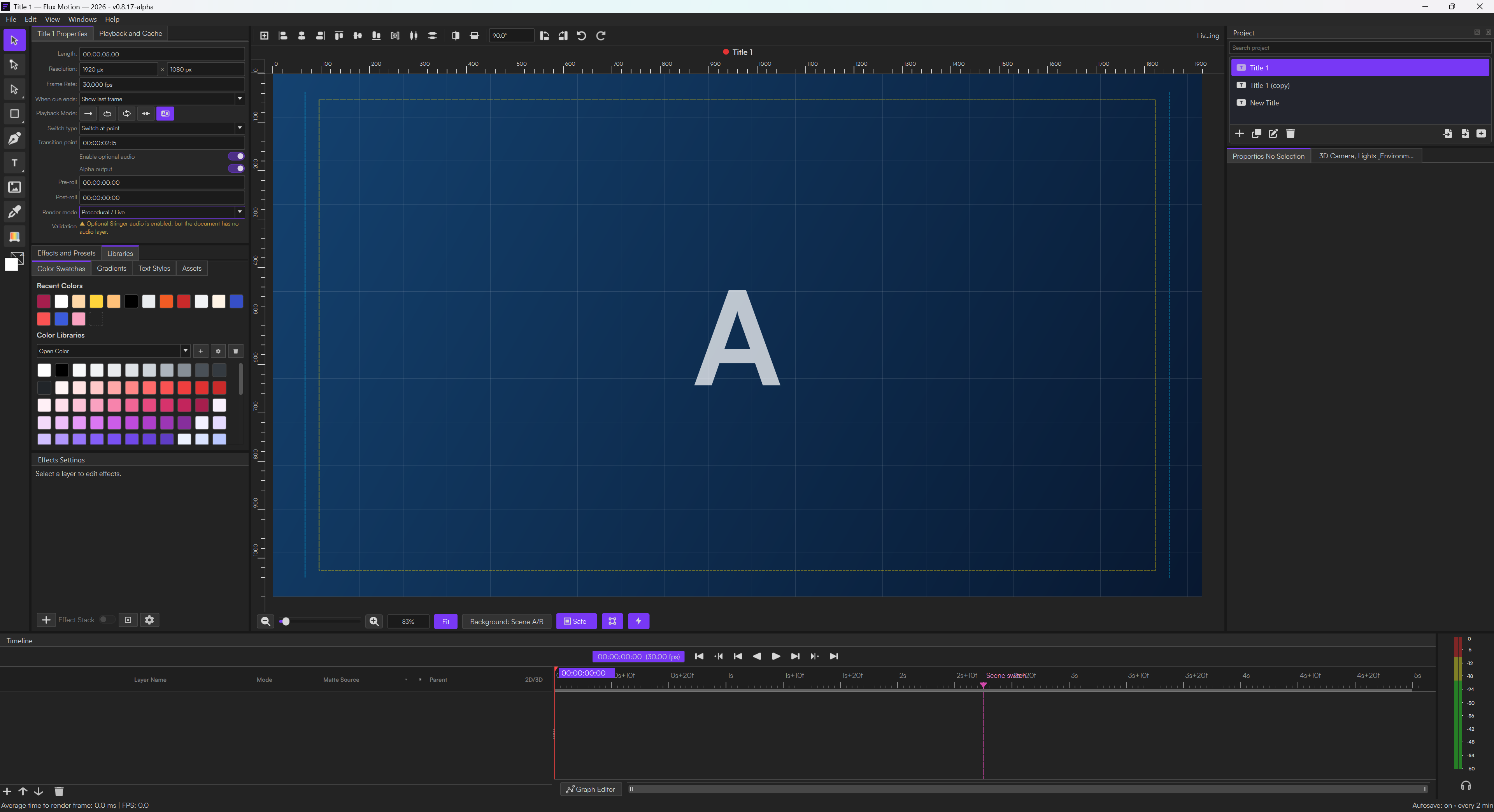
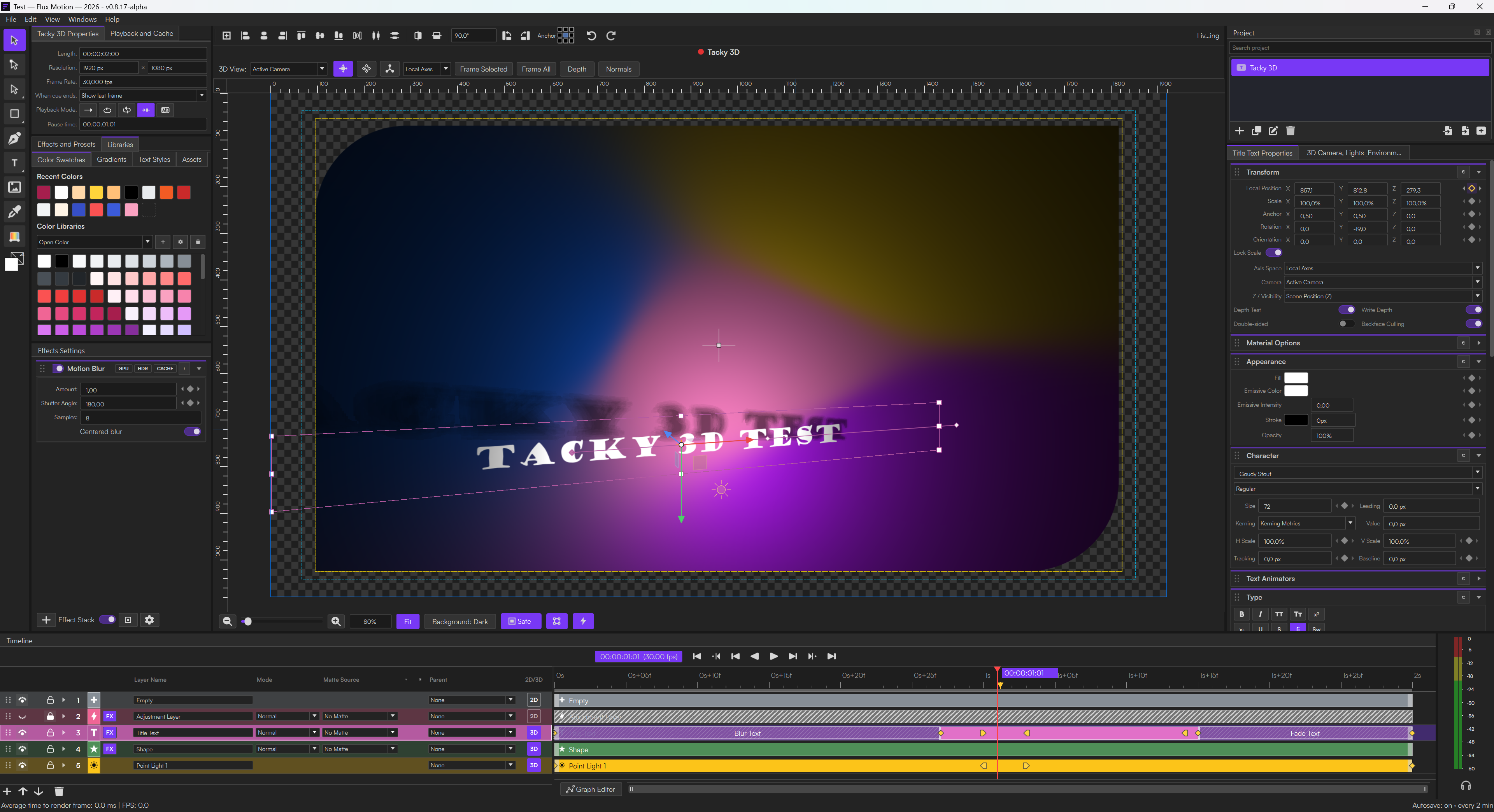
Flux MotionAuthor real-time graphics and animation scenes.
  • Layer-based editor with shape, text, audio, media and light layers.
  • 3D layer controls, timeline keyframes, effects, color libraries and material options.
  • Automatic text styling rules that can learn from formatted examples.
  • Scene-mask, live-property and stinger settings for broadcast graphics workflows.
Flux Motion 3D layers, effects panel and timeline
Flux Motion Plugin for OBS icon
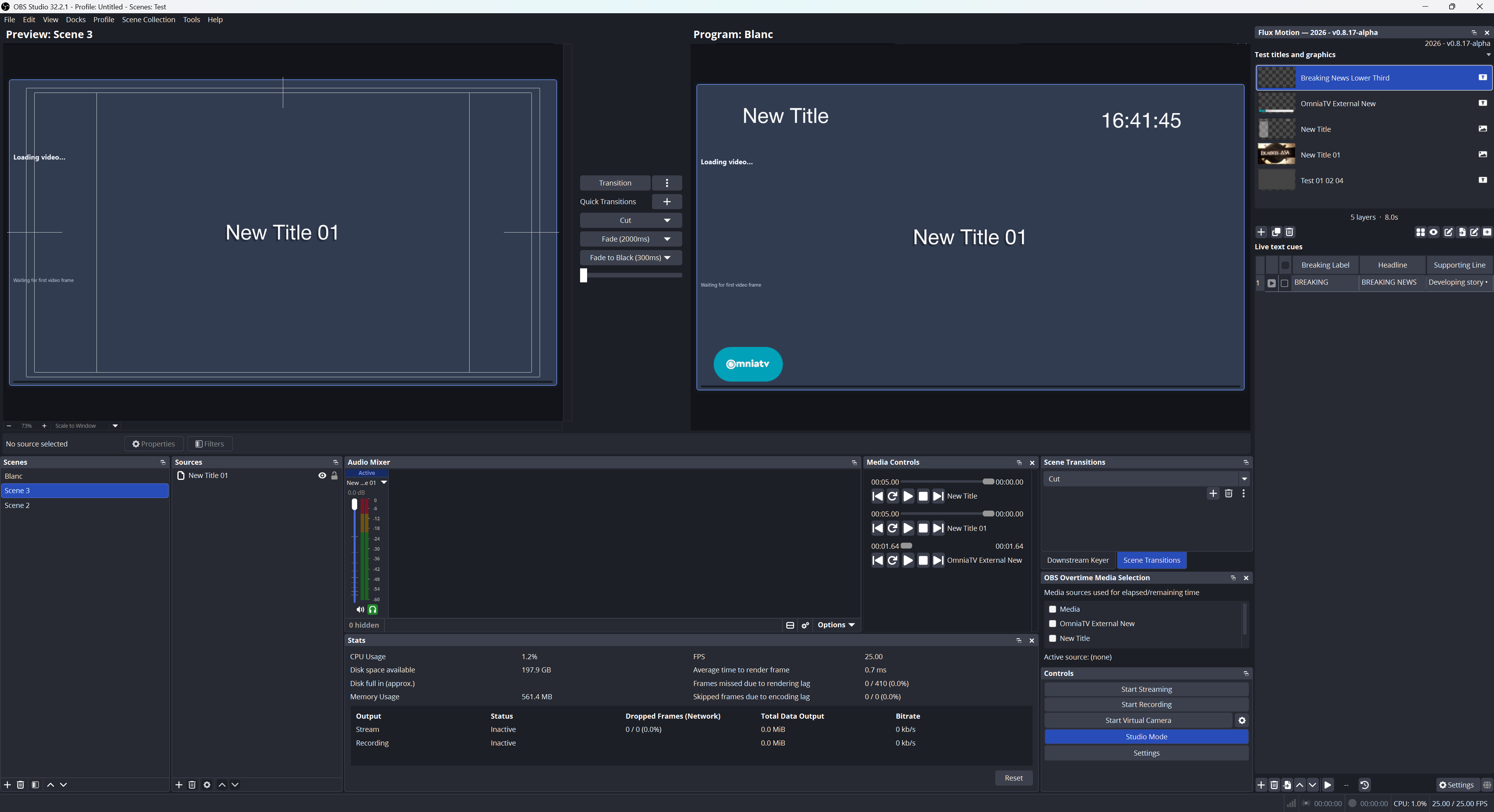
Flux Motion Plugin for OBSBring Flux Motion projects into OBS Studio.
  • OBS dock showing Flux projects, graphics layers and live text cues.
  • Preview/program workflow with scene transitions and downstream keyer context.
  • Media-source awareness for elapsed and remaining time.
  • Direct live-production bridge between designed graphics and OBS output.
Flux Motion Plugin for OBS dock inside OBS Studio
v0.8.18 release

One renderer, smoother real-time motion.

This alpha aligns Flux Motion, final output and OBS playback on the same suite-owned rendering engine, while reducing avoidable temporal work in Vector Motion Blur.

Shared rendering

Consistent from editor to air.

Preview, final rendering and the Flux Motion Plugin for OBS now share compositor behavior for transforms, cameras, visibility, frame rate and shutter timing.

Performance & updates

Less motion-blur overhead.

Vector Motion Blur uses a tighter adaptive sampling policy with real-time caps and stationary bypass. Flux Suite also adds Update All and readable product changelogs.

Screenshots

Flux Suite interface gallery.

Flux combines motion-graphics authoring, OBS playback and media encoding in a single production-oriented toolset.

Alpha warning

Use carefully in production.

Flux Suite is an alpha version. It is suitable for testing, evaluation and controlled workflows, but users should expect active development and possible breaking changes.

Current release2026 · v0.8.18-alpha
Release channelAlpha channel with active updates.
RecommendationTest before relying on it for critical live productions.
Open source

Built for shared improvement.

Flux Suite is open source software. Users can inspect the project, report bugs, suggest improvements and contribute to the direction of the toolset.

  • Transparent development model
  • Community issue reports and feedback
  • Independent media-production tooling
  • Reusable workflows across the Flux app family
Download

Download Flux Suite.

Install Flux Suite to manage Flux Encoder, Flux Motion and the Flux Motion Plugin for OBS from one place.

Flux Suite 2026

This is an alpha build under active development. Test it before relying on it for critical live-production work.

v0.8.18-alpha
Download Flux Suite for Windows↓ Hosted on software.omniatv.com

Support Flux Suite development.

Flux Suite is built with independent development time. Contributions support bug fixing, documentation, testing and future features.

Support OmniaTV →

Part of OmniaTV Software

Flux Suite complements Universal Video Downloader: one side handles acquisition and trimming, while Flux handles graphics, live production and export.

Universal Video Downloader →