OmniaTV Software / Universal Video Downloader
Desktop media acquisition

Download and trim online video.

Universal Video Downloader provides a focused desktop workflow for downloading video or playlists, and trimming finished files.

Features

Everything around the download queue.

The interface is built around fast link intake, transparent download options and a clear queue view for long-running media jobs.

01

Link analysis

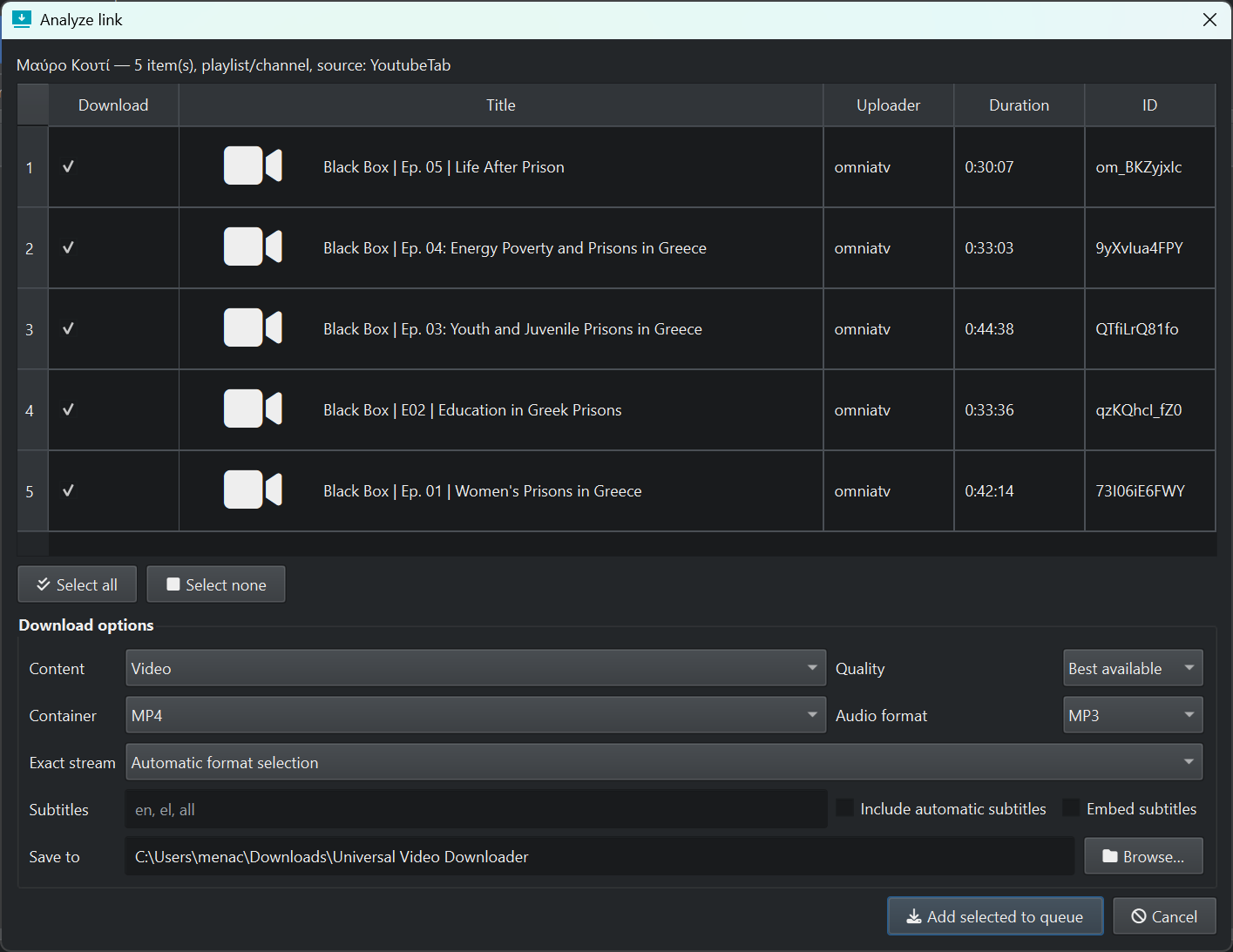
Paste a single video URL, add multiple URLs or import a batch. The analyze dialog shows the title, uploader, duration, item ID and available metadata before adding work to the queue.

02

Playlist and channel selection

When a source contains multiple items, select all, select none or choose individual videos before adding only the needed items to the download queue.

03

Download options

Choose video or audio content, MP4 output, best-available quality, audio format, exact stream selection and subtitle handling from the same dialog.

04

Queue status

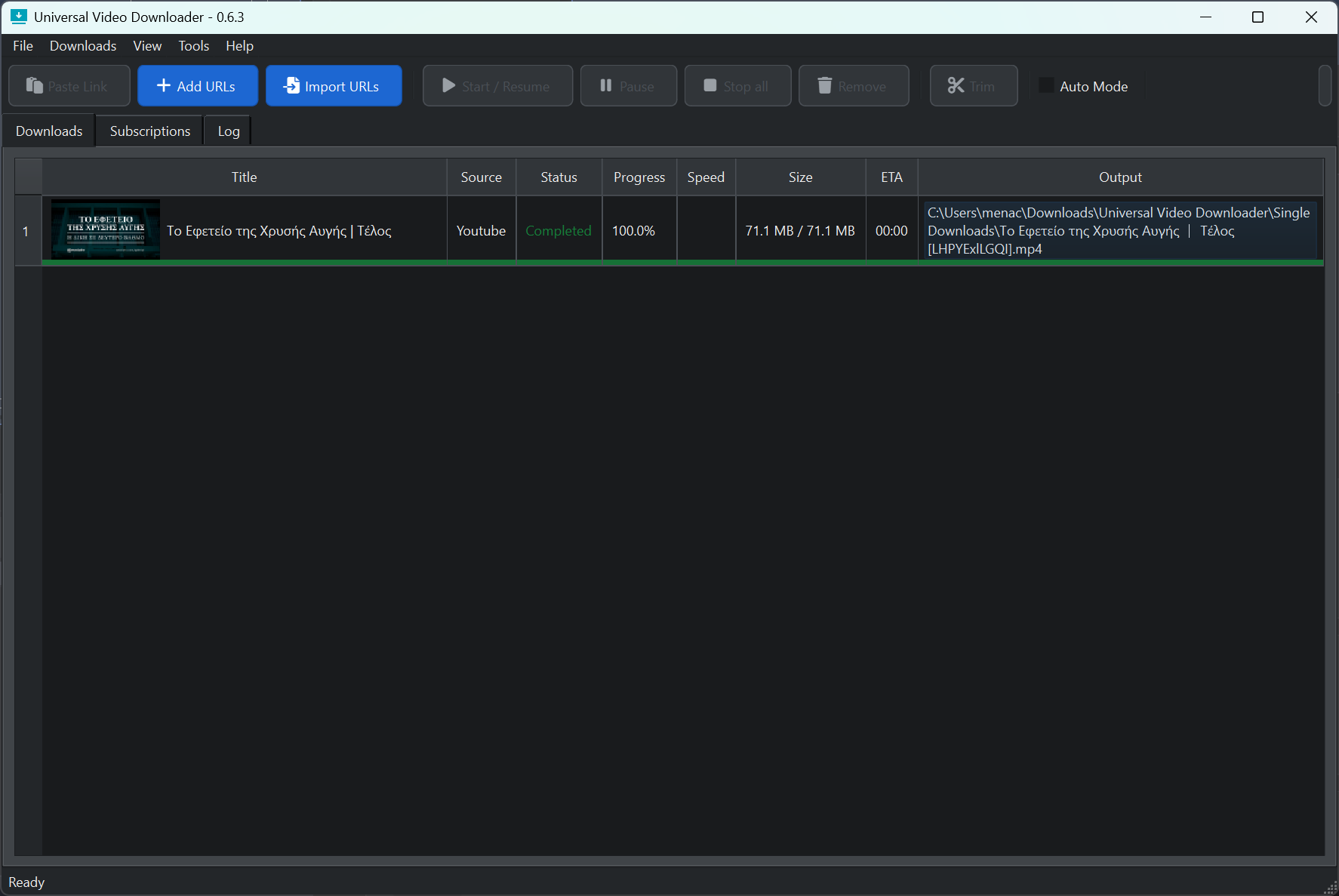
The queue tracks title, source, status, progress percentage, speed, file size, ETA and final output location, so finished and pending jobs stay visible.

05

Trimming workflow

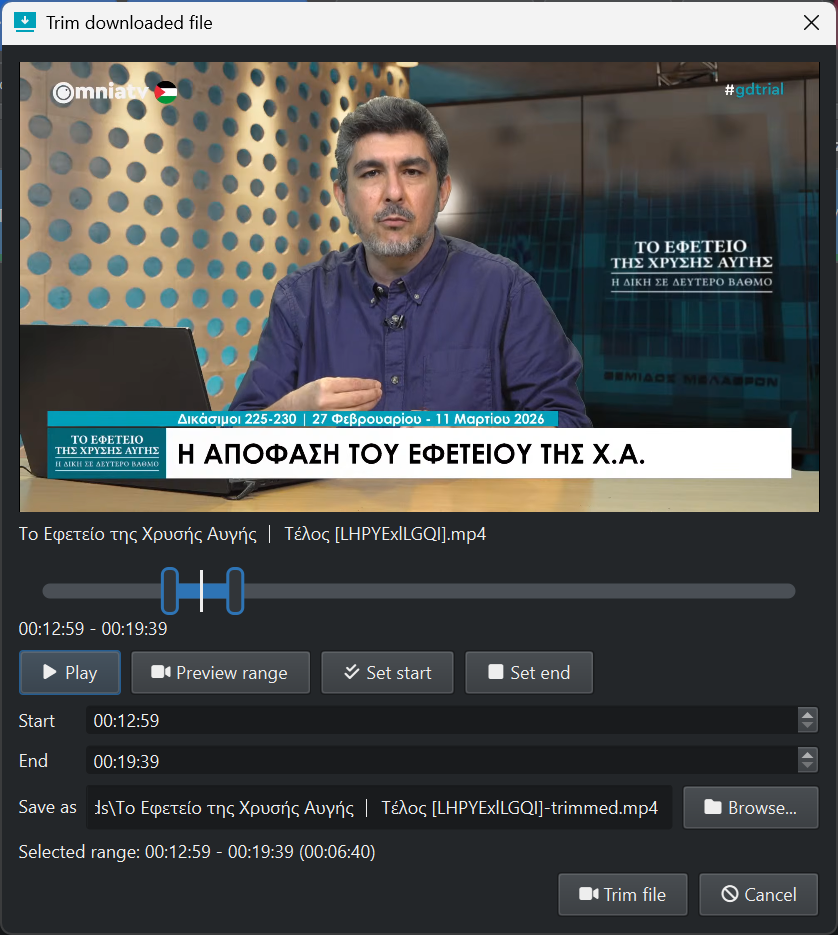
Trim downloaded files with a built-in preview window, start and end time fields, range preview and a separate output filename for the trimmed clip.

06

Production-friendly controls

Start, pause, resume, stop, remove and trim actions are available from the main toolbar, with tabs for downloads, subscriptions and logs.

Workflow

From URL to finished clip.

Analyze the source, select the media items you need, configure output, download them to the queue and trim the finished file when necessary.

Typical use

  • Paste a link or import a list of URLs.
  • Review detected media items in the analysis window.
  • Choose download content, quality, container, audio format and subtitle options.
  • Add selected items to the queue and monitor progress until completion.
  • Open the trim window to cut a section and save a new MP4.

At a glance

Single itemOne video source with thumbnail, title, uploader, duration and ID.
Playlist/channelMultiple detected items with batch selection controls.
Downloads tabPersistent queue table with completed, pending and active jobs.
Trim dialogPreview player, draggable range handles and explicit start/end fields.
Screenshots

Universal Video Downloader in use.

Analyze individual videos or playlists, manage the download queue and cut finished media without leaving the application.

Download

Get Universal Video Downloader.

Download the current desktop build directly from OmniaTV Software.

Universal Video Downloader

Install the current release and use the built-in workflow for single videos, playlists, queues and trimming.

Version 0.6.3
Download for Windows ↓Download for Ubuntu ↓ Hosted on software.omniatv.com

Support OmniaTV Development.

Universal Video Downloader is part of the broader OmniaTV Software effort. Contributions help fund maintenance, compatibility work and new features.

Support OmniaTV →

Other tools

For graphics, OBS integration and media export, see Flux Suite — the open source alpha toolkit in the OmniaTV Software family.

Open Flux Suite →